UST Projector Screen Size Guide: 72, 84, 92, 100, 110 or 120 Inches?
Choose a UST projector screen size using wall width, seating distance, projector throw geometry, case length and furniture constraints.
Screen size is a systems decision. With UST, a larger diagonal can move the projector farther from the wall and can require a wider cabinet and longer floor-rising case. Measure the whole setup rather than only the viewable image.
Approximate 16:9 image widths
| Diagonal | Approx. image width | Typical reason to choose it |
|---|---|---|
| 72″ | 62.8″ / 159.5 cm | Compact room or tabletop-scale setup |
| 84″ | 73.2″ / 186 cm | Smaller living room |
| 92″ | 80.2″ / 203.7 cm | Middle step when 100″ is too wide |
| 100″ | 87.2″ / 221.4 cm | Common laser-TV target size |
| 110″ | 95.9″ / 243.6 cm | More immersion without full 120″ footprint |
| 120″ | 104.6″ / 265.7 cm | Large living room / cinema-style image |
Image widths are 16:9 geometry approximations, not product case dimensions.
Measure these four things
- Available wall width.
- Full screen-case width from the exact product spec.
- Projector-to-screen distance for your projector at the target size.
- Eye-to-screen distance from the primary seat.
Why the S Pro P is unusually flexible
The supplied merchant listing spans six diagonals from 72 to 120″, so you can step down without abandoning the same basic screen family.
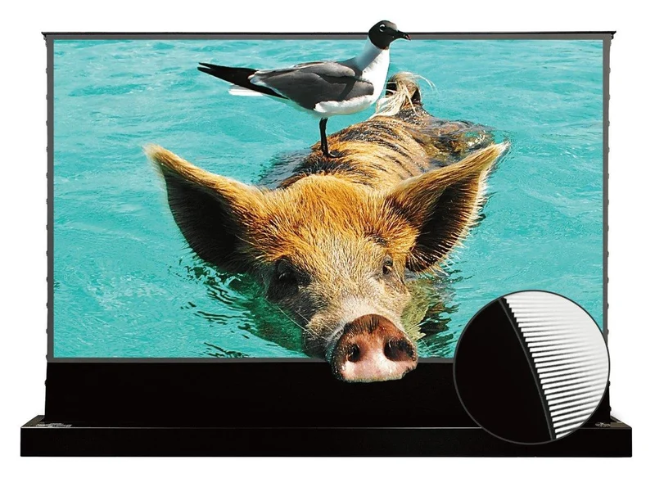
Vividstorm S Pro P
72–120″ options at the linked merchant; 0.6 gain, 170° published viewing angle, floor-rising motorized design and perforated lower border.
Still deciding between the two most common large sizes? Read 100 vs 120 inches.